How to Use a Body Recomp Calculator: Inputs, Macros, and Real Adjustments
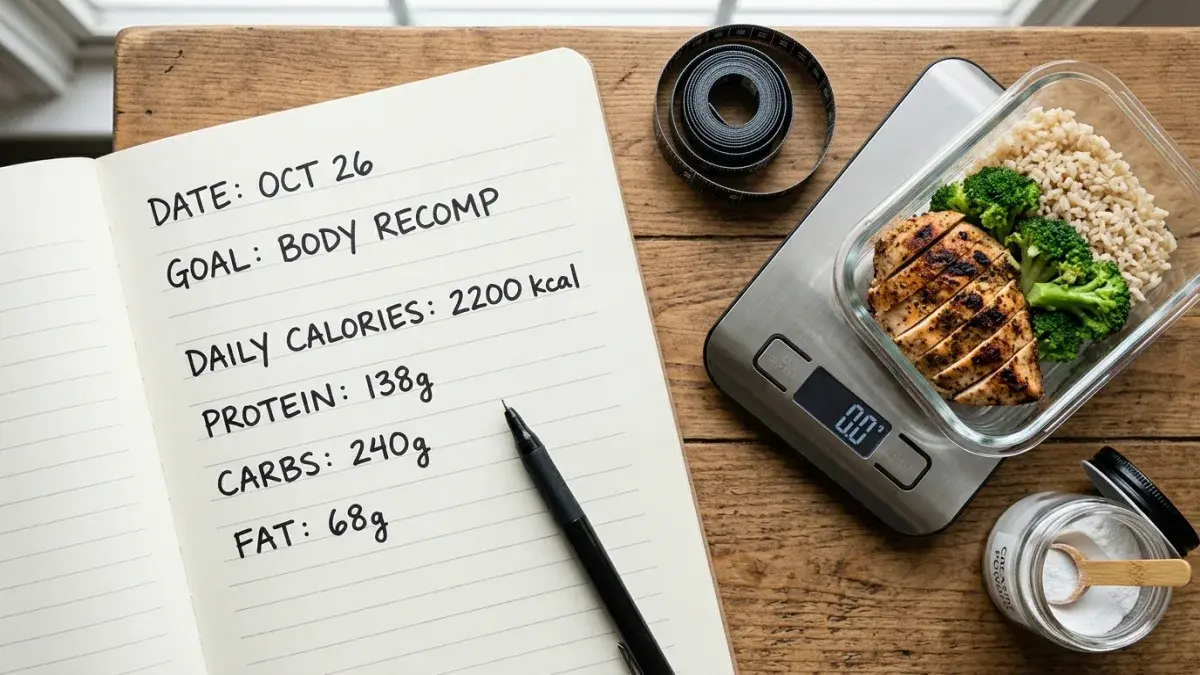
A body recomposition calculator is only useful if you put accurate numbers in and interpret the outputs honestly. Most people who run the tool once and never adjust end up overshooting calories by 200-400 kcal a day — invisible to the eye, deadly to a 12-week recomp. This article walks through what to enter into a body recomp calculator, what each output means, and how to recalibrate every 2 weeks based on the only metric that matters: real-world progress.
Recomp lives in a narrow window. Too aggressive a deficit and you lose muscle alongside fat; too small a deficit and nothing changes. The calculator centers you in that window; your adjustments keep you there.
The Five Inputs That Actually Matter
Every credible body recomposition calculator asks for the same core numbers. The order of importance:
- Bodyweight. Use a 7-day morning average, not a single weigh-in. Daily fluctuations of ±1.5 kg are routine and have nothing to do with body composition.
- Body fat percentage. The lean-mass denominator for your protein target. Get one accurate reading (DEXA, BodPod, or a careful Navy-method tape measure) and reuse it for 8 weeks.
- Maintenance calories (TDEE). A 10-day average of your real intake at stable weight. Calculator estimates work as a starting point but trail real-world data.
- Training age. Beginner (under 1 year), intermediate (1-3 years), advanced (3+ years). This determines realistic monthly muscle-gain rate.
- Weekly resistance sessions. 3-5 is the sweet spot for recomp; below 3 is generally insufficient stimulus, above 5 risks recovery debt during the deficit.
If you do not have a TDEE number, plug your stats into a TDEE calculator first and use the moderate activity multiplier as a starting point. If you do not have a body-fat number, get a Navy-method reading with a flexible tape, or — for the closest cheap estimate — a multi-frequency bioelectrical impedance scale (Omron HBF-516B or similar) used at the same time of day after the same hydration routine.
How the Calculator Decides Your Calorie Target
The math behind a body recomp calorie target follows a clear protocol. Helms et al. 2014 (PMID 24092765) recommended deficits of 0.5-1% bodyweight per week for natural lifters trying to retain muscle. Recomp lives at the lower end of that range — typically a 10-15% deficit from maintenance, which works out to:
- 2,800 kcal TDEE → 2,380-2,520 kcal target (12-15% deficit)
- 2,200 kcal TDEE → 1,870-1,980 kcal target
- 1,800 kcal TDEE → 1,530-1,620 kcal target
Beginners and people with higher starting body fat (men over 20%, women over 28%) can tolerate the upper end (15%) without losing muscle. Lean intermediates and advanced lifters should use the lower end (10%). The detailed timeline math sits in the body recomposition math and timelines guide.
The Protein Output: Why It Feels Aggressive
Most recomp calculators output a protein target between 2.2 and 2.6 g per kg of lean body mass — substantially higher than the 1.6 g/kg total bodyweight benchmark from Morton et al. 2018 (PMID 28698222). The reason: lean mass, not total mass, is the denominator that matters when you are dieting, and the additional cost of muscle protein breakdown during a deficit shifts the optimum upward.
A 70 kg lifter at 18% body fat has 57.4 kg of lean mass. At 2.4 g/kg lean, that is 138 g of protein per day. For a lifter at 90 kg and 22% body fat, it works out to 168 g/day. Hit it in 4-5 distributed meals of 30-45 g each — the per-meal anabolic threshold question is covered in the 30g cap article.
The Carb-Fat Split: Working the Remainder
After protein is locked, the calculator divides remaining calories between carbs and fat. A reasonable default for active lifters is 50-55% of remaining kcal from carbs and 45-50% from fat, with a minimum of 0.6 g/kg bodyweight from fat for hormonal health (Volek et al. 1997 showed cholesterol and testosterone responses to dietary fat in lifters).
| Lifter profile | Calories | Protein (g) | Carbs (g) | Fat (g) |
|---|---|---|---|---|
| 70 kg male, 18% bf, intermediate | 2,200 | 138 | 240 | 68 |
| 62 kg female, 24% bf, intermediate | 1,750 | 113 | 200 | 54 |
| 90 kg male, 22% bf, beginner | 2,650 | 168 | 290 | 80 |
| 55 kg female, 20% bf, advanced | 1,650 | 106 | 185 | 52 |
Training-Day vs Rest-Day Adjustments
A flat daily split works. A periodized split works slightly better for perceived workout quality. The simplest periodization: push 30-40 g of carbs from rest days into training days, pulling the same kcal-equivalent out of fat on training days. Protein and weekly average calories stay constant.
Example for the 2,200 kcal lifter above: training days become 270 g carbs / 55 g fat, rest days become 215 g carbs / 78 g fat. Over a week with 4 training days, total intake matches the flat plan.
The 2-Week Recalibration Rule
Every 14 days, look at three signals:
- 7-day morning weight average. Trending down 0.2-0.5 kg/week is the recomp sweet spot. Flat or up: drop 100-150 kcal/day, mostly from carbs. Faster than 0.5 kg/week: you are cutting, not recomping — add 100 kcal/day back.
- Waist circumference at the navel. Down 0.5-1 cm every 2 weeks is the visual fat-loss signal that survives water-weight noise.
- Strength on a heavy compound. Holding or improving a heavy 5-rep set on squat, deadlift, or bench is the muscle-retention signal. Strength dropping more than 5% in 2 weeks is a deficit problem, not a programming problem.
These three signals together tell you whether the calculator inputs need updating. If body fat has dropped 2+ points, rerun the calculator with the new lean-mass number — the protein target will go up slightly even as calories may go down.
When the Calculator Is Wrong (and It Will Be)
Calculators model populations. You are an individual. Common reasons the output undershoots or overshoots:
- Inaccurate body fat input. A 5-point error in body fat shifts protein by 8-12 g/day and lean-mass calculations everywhere downstream.
- NEAT drift. Non-exercise activity thermogenesis (fidgeting, walking around) can swing daily expenditure ±300 kcal. Tracking steps (with a step-to-calorie tool) catches this.
- Metabolic adaptation. After 8-12 weeks in a deficit, RMR adapts downward 5-10% (Müller et al. 2016 leptin studies). The calculator does not see this; the bathroom scale does.
- Sleep debt. Saner et al. 2023 showed muscle protein synthesis dropped 27% on 4-hour nights. No macro target overrides chronic sleep restriction.
Rerun the calculator at week 8 with the updated body-fat number. Adjust calories by the trend, not the absolute. The tool is a compass, not a map.
Budgeting for the Recomp Lifestyle
High-protein eating is more expensive than carb-heavy eating. For a 168 g/day protein target, expect $5-8/day in protein costs from a mix of whole foods and whey. If you freelance or run an hourly business and want to model whether your supplement and food budget fits your real take-home, run the numbers through the freelance hourly rate calculator first — most underpriced freelancers cannot afford the recomp diet they want to follow.
The Bottom Line
A body recomp calculator does five things: takes your bodyweight, body fat, TDEE, training age, and session count; sets a 10-15% deficit; allocates 2.2-2.6 g/kg lean to protein; splits the rest between carbs and fat; and outputs a training-day vs rest-day pattern. The accuracy of every output depends on the accuracy of the body-fat input. Recalibrate every 2 weeks against weight trend, waist measurement, and heavy-compound strength.
Run the math, then run the body recomp calculator to lock in your targets. Cross-check protein distribution in the macros calculator, and use the TDEE calculator to set a clean maintenance baseline before you start the deficit.
Frequently Asked Questions
Lock In Your Recomp Targets
Run the calculator, get your numbers, and start the 2-week recalibration loop.